
A receptionist was written up for not answering her phone.
The complaint was specific and it was repeated: callers said the phone rang once and dumped them into voicemail. She said her phone barely rang at all. Management had the customer complaints in writing and she did not have a defense, so the story settled into the shape those stories usually take. She was not paying attention. She was away from her desk. She needed to try harder.
Her ring time was set to three seconds.
Three seconds is not quite one full ring cycle. A caller hears the beginning of a ring, then a click, then a voicemail greeting. At her desk, the phone chirped and stopped before she could reach it, which is exactly what she had been telling everyone for weeks. Nobody had checked, because nothing was broken. There was no alarm, no outage, no error in any log. One number in one field, and the system did precisely what it had been told to do.
We fixed it in under a minute. Then we spent considerably longer on the harder conversation, which was explaining to a manager that the employee had been right the whole time.
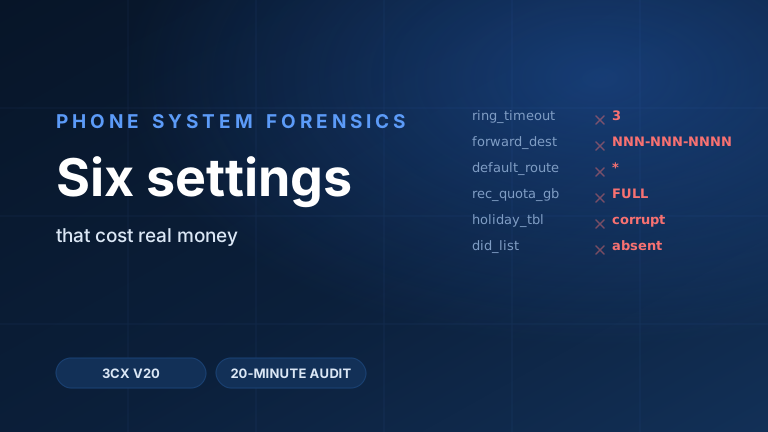
We have been running business phone systems for years, and the pattern in that story turns out to be the pattern in most of our hardest tickets. The expensive failures are almost never dramatic. They are one field, set once, by someone who is no longer around to explain why. What follows are six of them, all real, each one a different class of the same disease.
1. The three-second ring: calls going straight to voicemail
Symptom: callers reach voicemail almost immediately. The person at the desk insists the phone is not ringing.
The theory everyone had: the employee was not answering. A secondary theory blamed the handset, which got swapped, which changed nothing.
The reveal: the extension's no-answer timeout had been shortened to three seconds. In 3CX this lives in the extension's own call forwarding rules, where you define, in seconds, when a call should be considered unanswered before the forwarding rules take over. The platform documentation's worked example uses twenty seconds, which is roughly four rings and about what a human expects. Three seconds is inside the gap between the phone starting to ring and a person registering that it has.
The class: defaults changed without records. Somebody had a reason once. Perhaps a temporary coverage arrangement, perhaps a test. The reason expired and the setting did not, and because the change lives on one user's profile rather than anywhere central, no amount of looking at the system as a whole will surface it.
How to check yours: in the 3CX Admin Console, go to Admin → Users → Edit User → Call Forwarding. Users can see the same settings for themselves in the Web Client under Settings → Call Forwarding. Read the unanswered-call timeout on every extension, not just the one being complained about. In our experience these come in clusters, because whoever set one usually set several.
2. Death by dashes
Symptom: an extension configured to forward to a mobile phone did not forward. Callers described it as the call "just disconnecting."
The theory everyone had: a carrier problem, because the failure was intermittent by user and looked like something happening out on the network rather than inside a config field.
The reveal: the forwarding destination had been typed with dashes. A human reads that as a phone number. The routing layer reads it as a string that has to be matched against outbound rules, and 3CX triggers outbound rules on conditions like calls to numbers starting with a given prefix and calls to numbers with a given length. A destination carrying punctuation is not the same string as the digits alone, so it fails to satisfy the rule that was supposed to carry it. There is a transform stage for exactly this kind of problem, where a rule can strip digits or prepend them before handing the call to the provider, but a transform only runs on a call that matched the rule in the first place.
The class: input formats that fail silently. The field accepted the value. Nothing went red. The number even looks more correct with the dashes in it, which is the cruel part.
How to check yours: place a test call and watch it route in real time. In the Admin Console, open Dashboard → Activity Log, and in its Settings raise the logging level. At medium verbosity the log names the outbound rule a call matched, in a line of the form Call from Extn:NNN to NNNNNNNNNN matches outbound rule 'Rule Name'. If your test call names no rule, or names a rule you did not expect, you have found it. Then audit every stored external destination for punctuation and spaces.
3. The catch-all thief
Symptom: one office's published number did nothing. Dial it and the call connected to something, or to nothing, but never to that office.
The theory everyone had: the port had not completed, or the carrier had the number pointed somewhere else. Everyone looked outward, at the provider, because the number itself appeared to be fine.
The reveal: a different trunk on the same system had a catch-all destination configured, and it was swallowing the call. This is documented behavior, not a defect. When an inbound call's destination number does not match a number in a trunk's own list, 3CX routes it to that trunk's general routing option, configured in SIP Trunk settings → General → Default route. Matching a number to a trunk requires an exact string match, so a number that arrives in a slightly different format than the one stored is, as far as the match is concerned, not in the list.
It gets better. The platform identifies which trunk an incoming call belongs to by working through a sequence of matching methods and stopping at the first one that hits. One of those methods compares the dialed number to a trunk's main number, and the documentation is explicit that when more than one trunk matches on that method, the call is routed randomly among them. A routing bug that is genuinely random on some calls and not others is how a ticket stays open for a month.
The class: rule precedence nobody audits. Every individual piece of that configuration was defensible when it was made. The interaction between two of them was never examined, because examining interactions is nobody's job.
How to check yours: inventory the default route on every trunk, then ask of each one whether you actually want unmatched traffic going there. On trunks where you want no catch-all behavior at all, the strict source-identification option turns it off, and 3CX warns you on screen that catch-all routing is disabled when you enable it. That warning is the feature.
4. The full bucket
Symptom: none. That is the entry.
The theory everyone had: there was nothing to have a theory about. Call recording had been working for years. It was still switched on. The interface still showed recordings, because it showed the old ones.
The reveal: the local recording quota had filled, and recording had stopped. Weeks later a customer dispute turned on what had been said on a specific call, somebody went to pull it, and the recording was not there. Neither was any other recording from that period. The 3CX storage settings include a quota for recordings in gigabytes, and the documented behavior when that quota is reached is to stop recording. It does what it says.
What we want to be precise about is the alerting, because this is where the money was lost. 3CX does have a disk protect mode that will email an administrator, but the documented trigger for it is free disk space falling below 500MB, which is a different condition from your recordings quota filling up. A quota can be reached with plenty of disk left. Nothing about that arrangement is dishonest, and it is still a silent failure in practice: the one number that stops your compliance recording is not the one number wired to the email.
The class: quotas without alerts. Any limit that changes behavior when it is hit, and does not tell anybody it was hit, is a scheduled outage with an unknown date.
How to check yours: go to Storage and read the recordings quota, then compare it against what you are actually storing. While you are there, check the retention setting that deletes temporary recordings older than a set number of days, and confirm the archive target is configured and reachable, since archiving is what moves recordings off local storage in the first place. Then check Event Log → Notifications to see which alerts are enabled and, more importantly, which mailbox they go to. In our experience the notification is often switched on and pointed at an address that belonged to somebody who left.
5. The haunted holiday table
Symptom: holiday entries that would not behave. Dates that had passed still influenced call handling, and the offending entries resisted deletion.
The theory everyone had: user error. Somebody had surely saved the wrong thing, or was looking at the wrong screen, or had made the change on the wrong department.
The reveal: the entries were genuinely stuck. We could not clear them cleanly, and the fix was to rebuild the groups that carried them. Not elegant, and not something you would ever guess from the interface, which shows you a delete control that appears to work.
There is a structural reason this bites people harder in current versions than it used to. 3CX no longer has one global set of office hours applied at the trunk level. Office hours and holidays now attach to departments, and they are applied based on where a call arrives rather than which trunk it came in on. That is a genuine improvement in flexibility, and it means holiday configuration is now duplicated across every department that shares a holiday. Departments that share a holiday each need it configured individually, with the same date, every time. Six departments is six chances to get one wrong, and one wrong entry that will not delete is a very bad afternoon in late December.
The class: platform quirks that punish do-it-yourself administration. This is the entry where owning the platform stops being a technicality. Knowing that a table has to be rebuilt, rather than argued with, is the difference between twenty minutes and a lost holiday weekend.
How to check yours: in the Admin Console go to Office Hours, select each department in turn, and open Office Holidays. Confirm every department that should share a holiday actually has it, that no expired entries are still listed, and that each entry routes where you think it does. As of V20 Update 9 you can set custom holiday messages directly in the holiday routing settings for queues, ring groups, IVRs, and departments, so check those messages too. And make sure at least one person on site holds a role that can override office hours from the Web Client, because the day you need that is the day nobody can reach us fast enough.
6. The number that was never there
Symptom: a company's main number behaved oddly. Not broken exactly. Odd. It rang the wrong way, or rang through to somewhere unexpected, and it never quite responded to configuration changes.
The theory everyone had: a misconfiguration somewhere in the routing. Every conversation about it began from the assumption that the number was in the system and pointed at the wrong thing.
The reveal: the number was not in the system. It had never been in the system. It lived at a previous provider and was being forwarded in, which is why it half-worked, why it ignored every change made to the phone system, and why it appeared in no list anybody thought to check. Everyone had been debugging a routing table that had no row for the number they were debugging.
The class: undocumented legacy plumbing. Businesses accumulate numbers across decades, providers, and staff who have moved on. A forward set up in 2014 outlives every person who knew about it, and it will keep quietly working just well enough to never demand attention.
How to check yours: stop reading configuration and start reading calls. Open Dashboard → Activity Logs, dial the number in question, and refresh. At medium logging the log shows the destination number as received from the trunk alongside the internal destination it resolved to, in the form called=NNNNNNNNNN. At verbose logging you can read the number as it actually arrived, inside the INVITE's To: header. Compare that against the numbers listed on your trunk. If the digits arriving do not appear in your list, or arrive in a format that does not match what you stored, you have your answer, and it is the answer nobody wants: the call is not coming in the way anybody assumed.
The pattern
Read those six together and the shape is hard to miss. Not one of them was a hardware failure. Not one was a carrier outage. Not one of them produced an alarm, a red indicator, or an error message that anybody saw. In five of the six, the system was working correctly, in the strict sense that it was doing what its configuration told it to do.
Phone systems fail in the configuration layer, and they fail at the seams. The three-second ring was a seam between a temporary arrangement and the person who inherited it. The dashes were a seam between what a human reads as a phone number and what a matching engine reads as a string. The catch-all was a seam between two trunks that were each configured sensibly on their own. The recording quota was a seam between a limit and an alert that watched a different limit. The holiday table was a seam between a platform behavior and an interface that implied otherwise. The phantom main number was a seam between two providers, one of which nobody remembered.
This is also why "have you tried rebooting it" is such a poor fit for this class of problem. A reboot restores a system to its configured state. In every one of these cases, the configured state was the bug. You can reboot the three-second ring all day and it will come back up ringing for three seconds, faithfully, forever.
The twenty-minute audit
Six bugs, six classes, and a short list of checks that would have caught all of them before anybody lost a call. None of this requires special tooling. It requires somebody deciding to look.
- Read every extension's unanswered-call timeout. Admin → Users → Edit User → Call Forwarding. You are looking for outliers, in both directions. Anything under about fifteen seconds will read to callers as a phone that does not ring.
- Audit every stored external destination for formatting. Forward-to-mobile numbers, external forwarding targets, anything with digits typed by a human. Strip punctuation and spaces, and confirm each one matches the format your outbound rules expect.
- Inventory the default route on every trunk. SIP Trunk settings → General → Default route. For each one, answer out loud where unmatched calls go and whether that is what you want.
- Compare your recordings quota against what you are storing, in Storage. Then open Event Log → Notifications and confirm the alerts are on and the destination mailbox belongs to somebody still employed.
- Walk every department's holidays, in Office Hours → Office Holidays. Confirm coverage is complete, expired entries are gone, and each entry routes and announces correctly.
- Verify that every number you publish is actually in the system. Dial each one and watch it land in Dashboard → Activity Logs. Numbers on your website, your invoices, your trucks, your signage. If a number does not appear in the log the way you expect, it is not being handled where you think it is.
Twenty minutes is not an exaggeration for a system of ordinary size, and the audit finds something more often than not. It is worth saying plainly that most of what it finds is small. That is the point. Small is what does the damage, because small is what nobody looks for.
Why forensics beats rebooting
Every one of these six was found by reading logs, not by changing settings and seeing what happened. That distinction matters more than it sounds, and it is most of what we sell.
When we are both the phone company and the people running your phone system, a report of "calls to this number do nothing" is a question we can answer instead of relay. We can watch the call arrive at the trunk and read the digits exactly as the carrier presented them. We can see which rule matched, and which rule was supposed to. We can tell the difference between a call that never reached the system, a call that reached it and was routed somewhere unintended, and a call that was routed exactly as configured to a destination nobody wanted. Those three look identical from a desk phone, and they have nothing in common as problems.
Without that visibility, the process is guesswork with a change-control ticket attached. You adjust a setting, wait for someone to complain differently, and infer. It is slow, it is disruptive, and it has a habit of ending with a receptionist getting written up for a number in a field.
She got an apology, incidentally. It took three seconds.
Why we published our own checklist
There is an obvious argument against writing this post. Every item on that list is billable work somewhere, and we just gave the list away.
We published it because we would genuinely rather you find a three-second ring timer yourself than lose six months of calls to it. Every one of these six bugs cost somebody real money before anyone noticed, and none of them announced itself. If this post prevents one of those, it has done its job, and it does not much matter to us whether we were the ones who ran the check.
It is also, honestly, the most accurate advertisement we could write. This is not a sales sheet describing what we might do for you. It is six real tickets, our actual reasoning, our actual menu paths, and the audit we actually run. If that reads like the kind of attention you want on your phone system, you now know exactly what you would be buying.
If you are already a customer, this is just support
We want to be unambiguous about this, because it is the part clients are most often surprised by.
Support and consulting are included for our subscribers. Not discounted, not bundled into a tier, not metered against a block of hours. Included. Ask us to run this audit on your system and we will run it. Ask us why a call did something strange last Tuesday and we will go read the logs. Ask us to sit in on the planning call before you move offices, add a location, or change your hours for the season, and we will be on it.
There is no ticket-scoping conversation first, and no exchange about whether the question qualifies. We priced it that way deliberately. A support model that charges by the question teaches customers not to ask, and the six stories above are all what happens when nobody asks: a setting stays wrong for months because raising it did not seem worth the trouble. We would rather hear about the small thing on the day it starts, which is the only day it is still small.
You also reach people who can actually answer. Our support is US-based, staffed by technicians who administer these systems every day rather than a queue that escalates toward one, and because we are the carrier as well as the platform, the person you reach can read the call from the trunk inward without opening a ticket with anybody else.
If you are not, we will still run the audit
We check the six classes above plus the rest of our list, then walk you through what we found and what we would change, in plain language your current administrator can act on, whether or not that administrator is us. And if the audit turns up nothing, we will tell you that too.
We have been building, running, and repairing 3CX and business phone systems for years, for hundreds of companies, and the pattern in this post is drawn from our own resolved tickets rather than from a vendor's case studies. That experience is the product. The audit is just the most concentrated way to hand it to you.
Get in touch and we will get it scheduled, or just send us the symptom you cannot explain and we will tell you what we think it is. If you want the wider context on how we run these systems day to day, our 3CX support guide is a good next read.